 PaySplit
Rent & roommates
Rent, utilities, groceries. Everyone's balance stays current, so month-end settling is one confirmation — not a spreadsheet summit.
For iPhone & iPad · Free to start
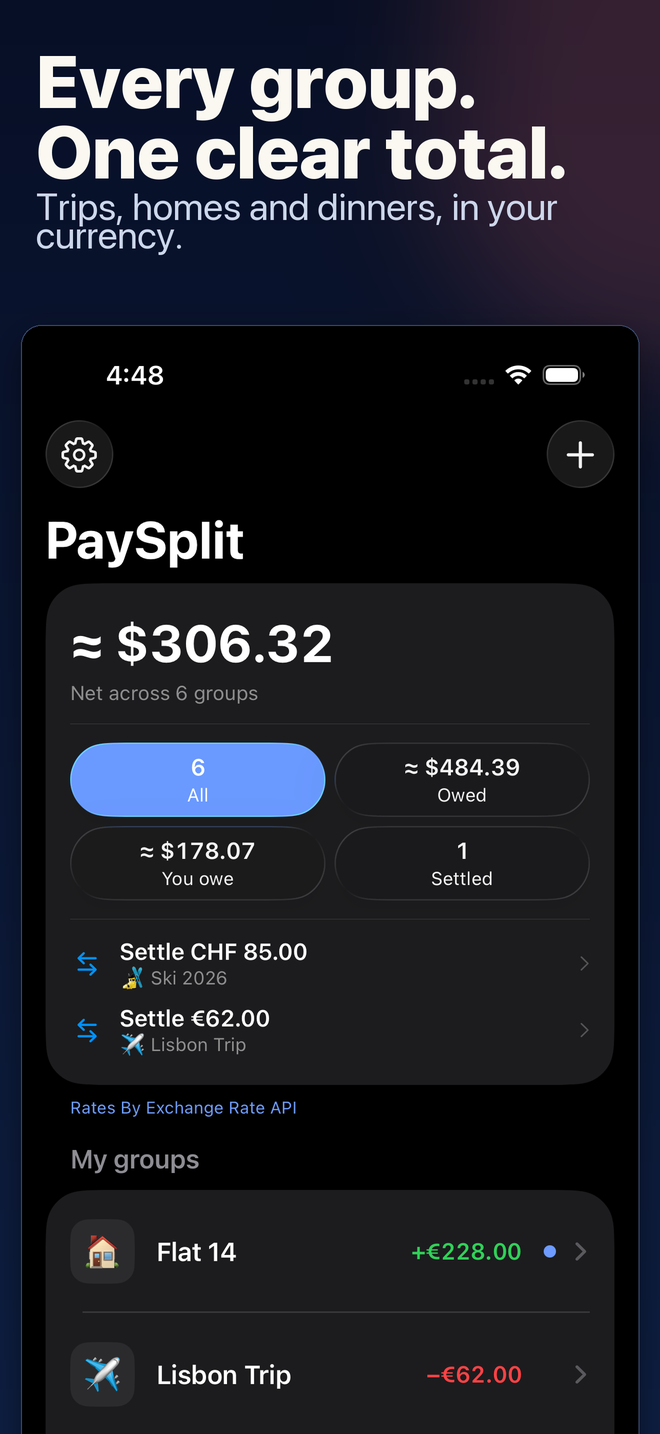
PaySplit shows who paid, who owes, and the fewest payments to settle up. Your group stays in sync through iCloud — no accounts, no ads, nobody else's server.
 Pro from $0.99/month for your first year
0 accounts required — ever
0 ads, in free and Pro
155 currencies supported
100% of your data, in your iCloud
Made for shared life
Rent, utilities, groceries. Everyone's balance stays current, so month-end settling is one confirmation — not a spreadsheet summit.
Different currencies, one honest picture. Track expenses in local money, with a running total in yours.
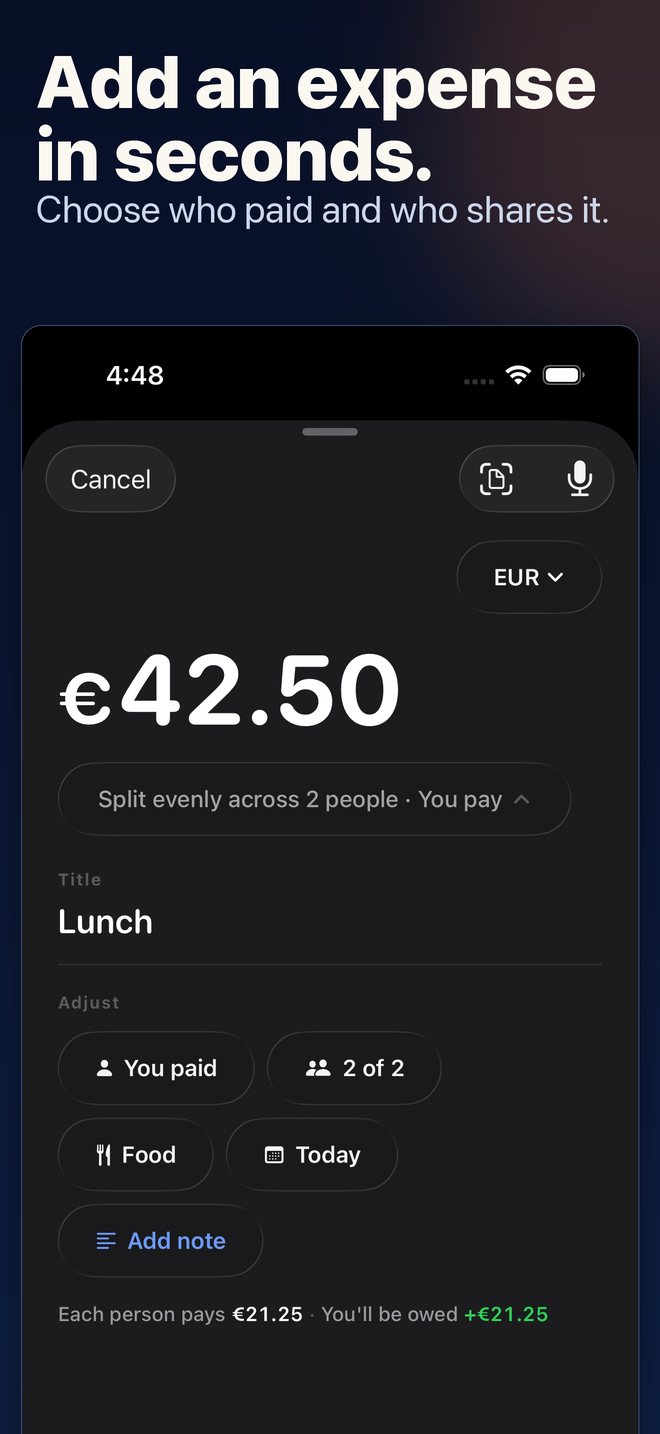
One person pays, everyone squares up. Add the expense before you've left the table.
Features
No web wrapper, no ads bolted on, no sign-up wall in front of your own data. Native SwiftUI, designed for iOS 26.
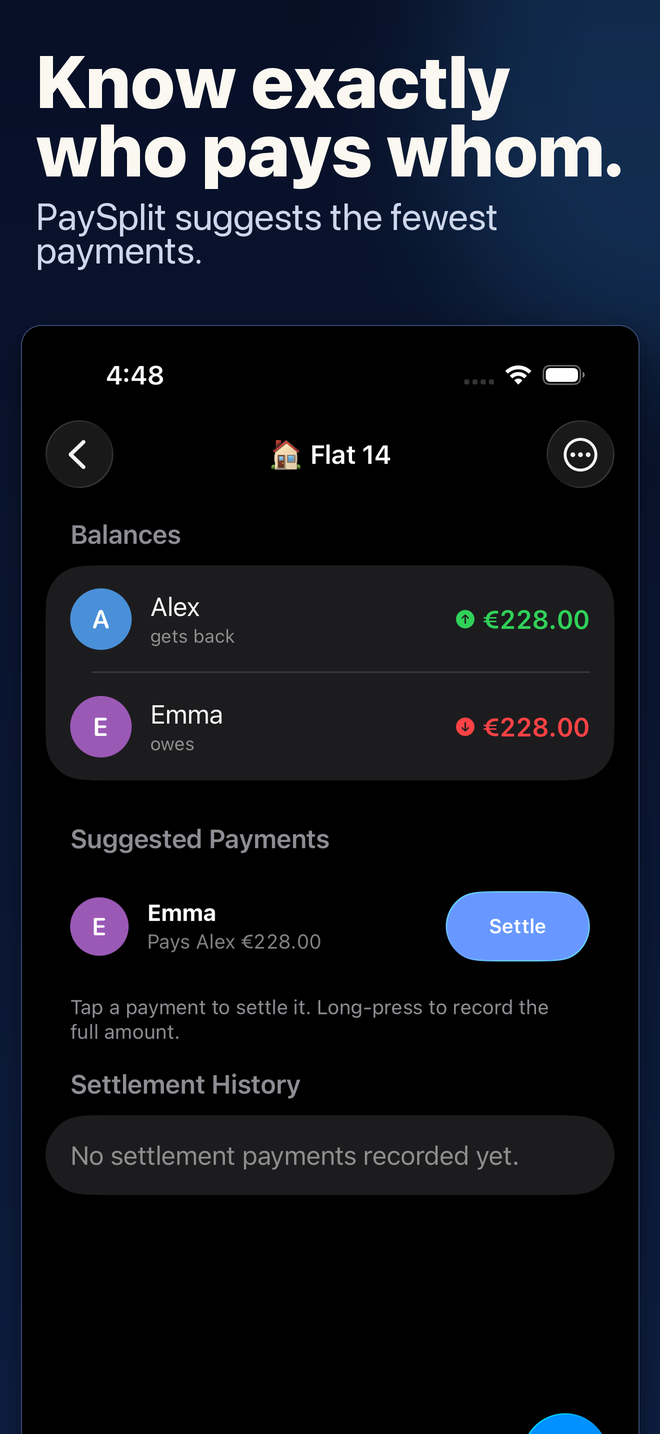
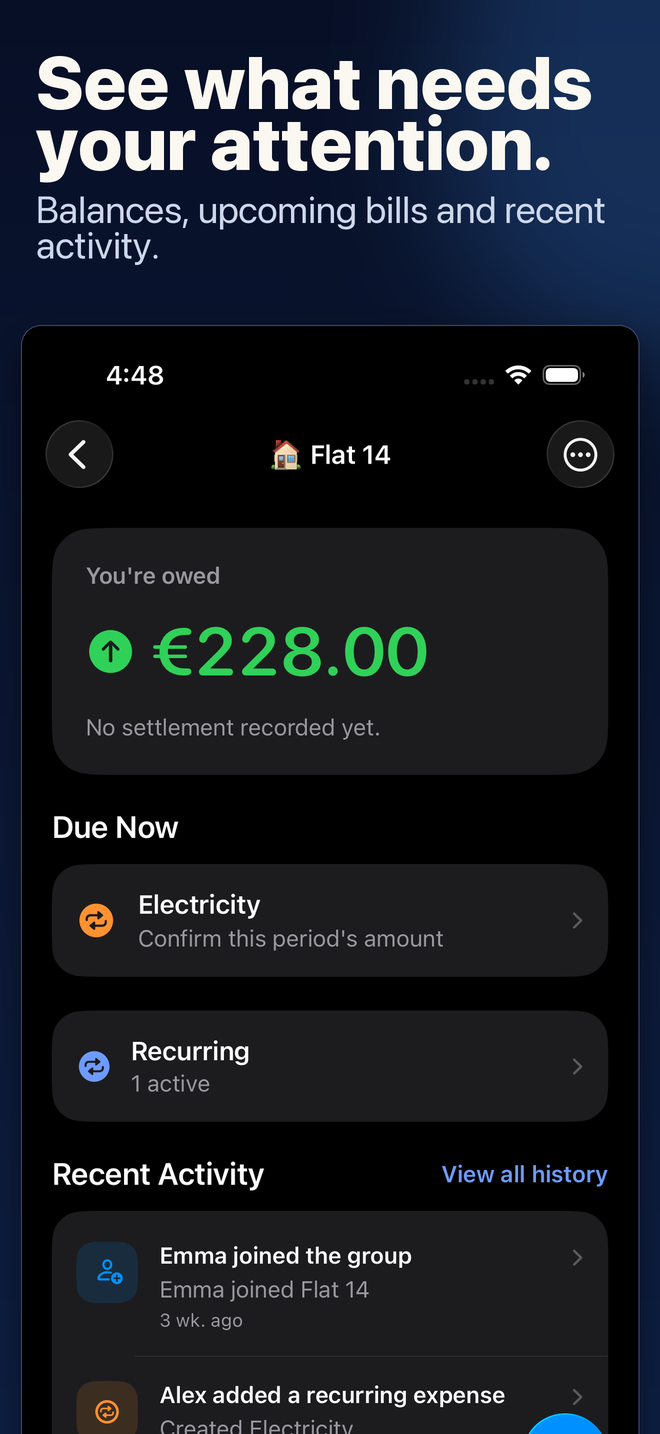
Every expense lands in clean per-person balances. When it's time to settle, PaySplit suggests the fewest payments that get everyone back to zero.
Settle-up works per currency, so a weekend abroad never quietly re-prices your rent ledger.
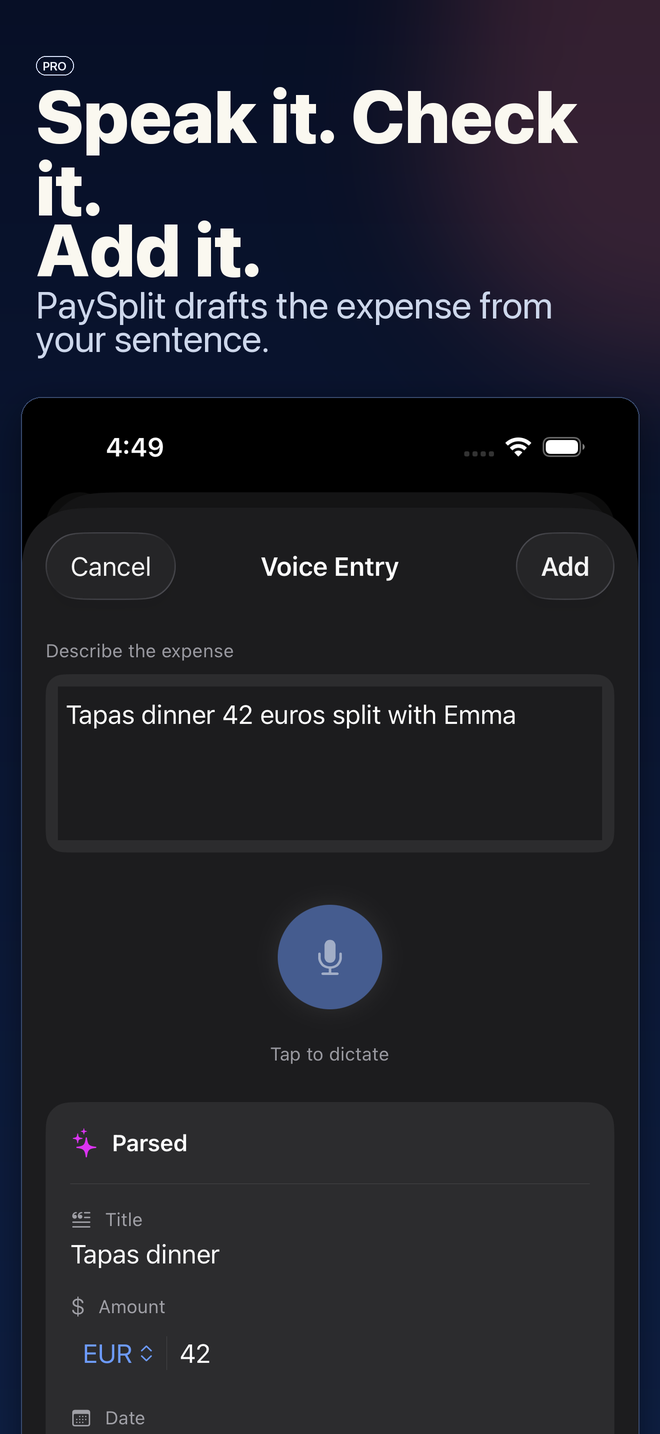
"Tapas dinner, 42 euros, split with Emma." PaySplit drafts the whole expense from one sentence — title, amount, currency, date. You check it and tap Add.
Powered by Apple's on-device intelligence in iOS 26, so the sentence is parsed on your iPhone — not on a stranger's server.
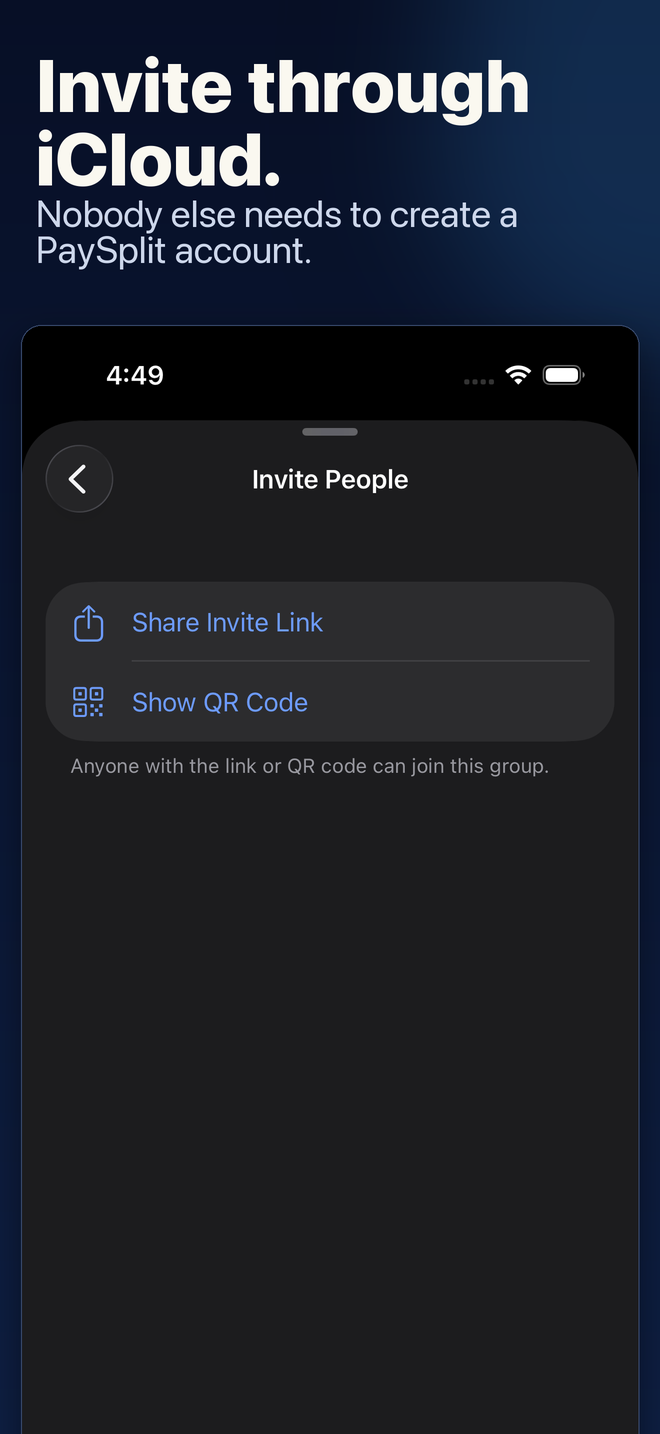
Groups share through iCloud, not through a sign-up form. Your people tap the invite and the group shows up on their phone — with the Apple ID they already have.
PaySplit runs with no servers of its own: your groups live in your iCloud, end to end.
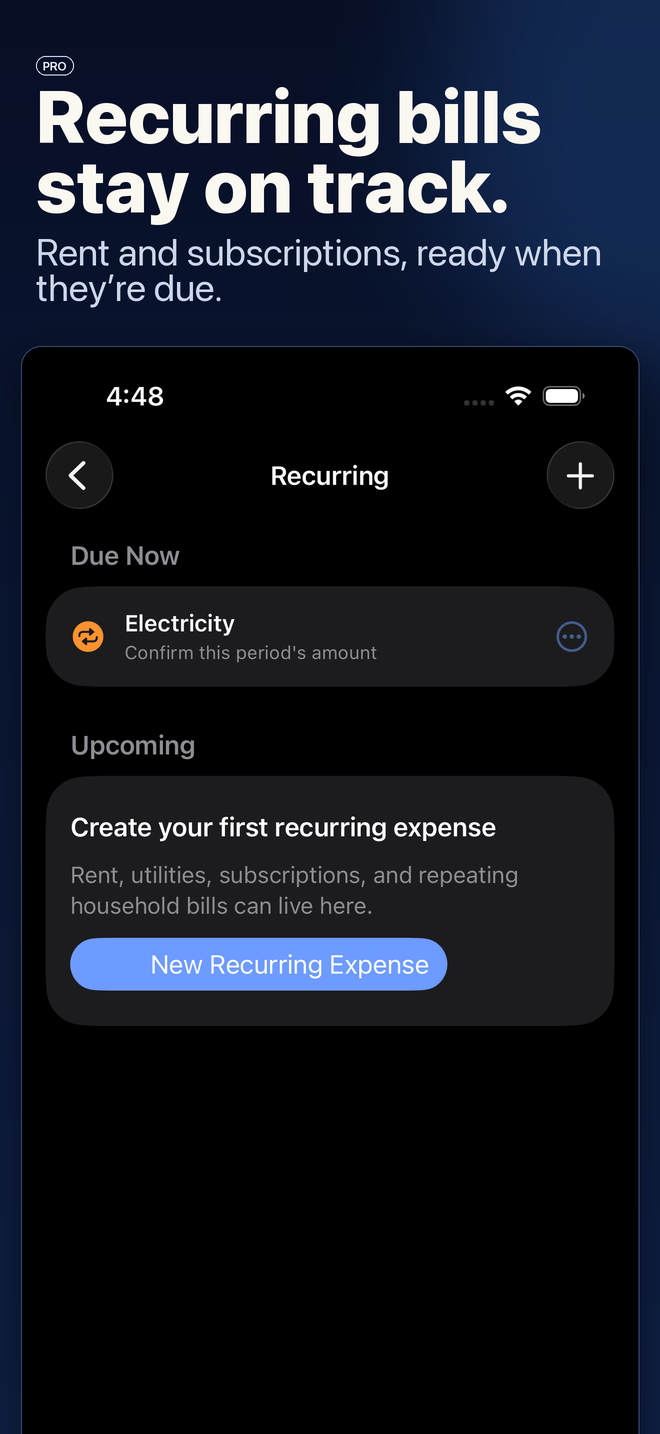
Rent on the 1st. Internet on the 15th. Set a recurring shared expense once, and PaySplit keeps the group current while you stop thinking about it.
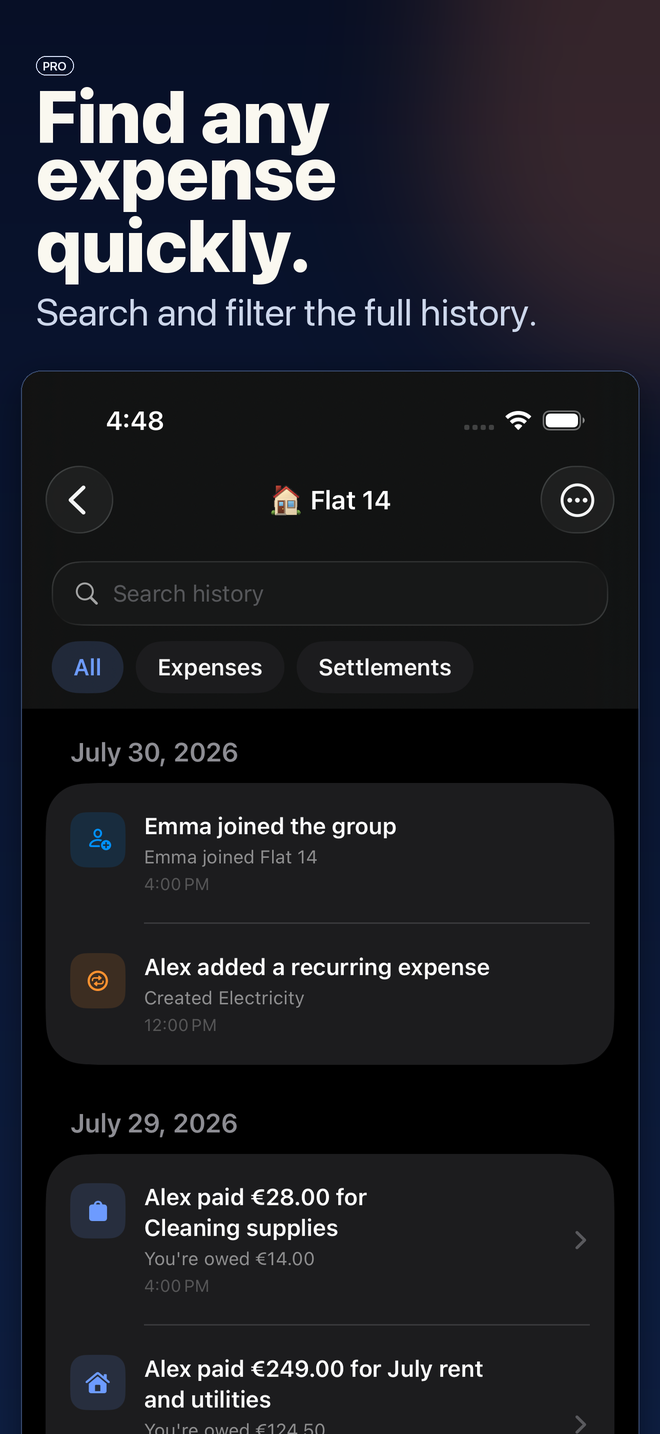
Then export the whole history to CSV or PDF whenever the household wants receipts.
Swipe →
How it works
For your home, your trip, or tonight. Invite everyone with a link — no accounts to create.
Type it in seconds, or say the sentence and let PaySplit draft it. Balances update for the whole group.
Follow the fewest-payments suggestion, confirm, and you're all square — in every currency.
Pricing
Settling up should never be the paywall — balances, settling and group sharing are free for good.
Everything you need to settle up.
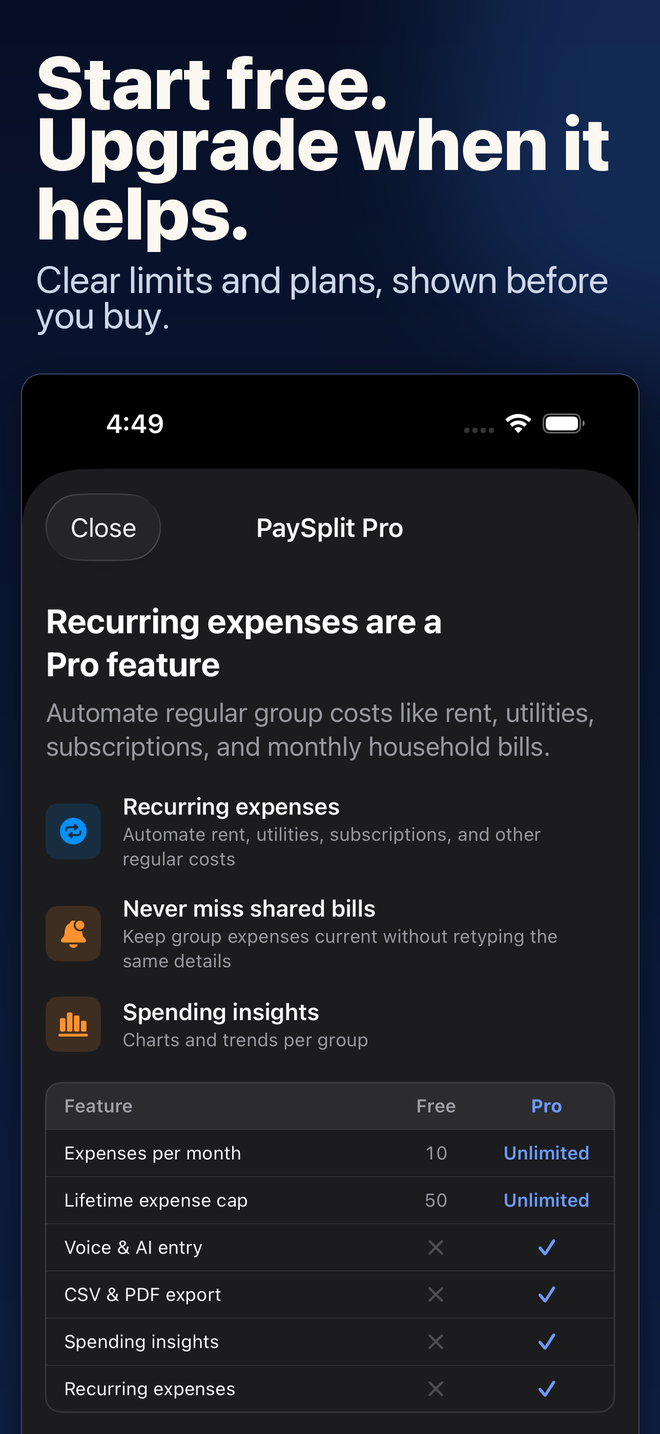
Your first 50 expenses free, then 10 new ones every month.
Unlimited expenses, plus the clever stuff.
Then $14.99 → still $14.99/year — about $1.25/month.
Prefer monthly? $0.99/month for your first 12 months, then $2.99/month.
Prices in USD; the App Store shows your local equivalent. Introductory offers are for eligible new subscribers — one per customer, with eligibility determined by Apple. Subscriptions auto-renew until cancelled at least 24 hours before the end of the current period; manage or cancel anytime in Settings › Apple ID › Subscriptions. PaySplit does not offer a free trial — the introductory price is a real, paid discount from day one.
Compare
PaySplit exists because the category leader still wants an account from every member and an ad slot on every screen.
| PaySplit | Splitwise | Tricount | Spreadsheet & IOUs | |
|---|---|---|---|---|
| Works without a sign-up | ✓ iCloud only | ✗ Account for everyone | △ Needed for some features | ✓ |
| Ad-free | ✓ Always | ✗ Ads on the free tier | ✗ Ads on the free version | ✓ |
| Voice expense entry | ✓ On-device (Pro) | ✗ | ✗ | ✗ |
| Fewest-payments settle-up | ✓ | ✓ | ✓ | ✗ You do the math |
| Where your data lives | Your iCloud | Their servers | Their servers | Wherever the file ends up |
| Native iPhone & iPad app | ✓ Built for iOS 26 | △ Cross-platform first | △ | ✗ |
| Price to unlock everything | $4.99 first year, then $14.99/yr | Subscription, priced in-app | Free — with a banking upsell | Free, costs your evening |
| Android & web | ✗ iOS only — that's the point | ✓ | ✓ | ✓ |
Comparison reflects publicly available information as of September 2026. Splitwise and Tricount are trademarks of their respective owners and are not affiliated with PaySplit.
FAQ
No — PaySplit has no accounts at all. Groups sync through iCloud sharing, so everyone joins with the Apple ID they already have. You send an invite link, they tap it, and the group appears on their iPhone or iPad.
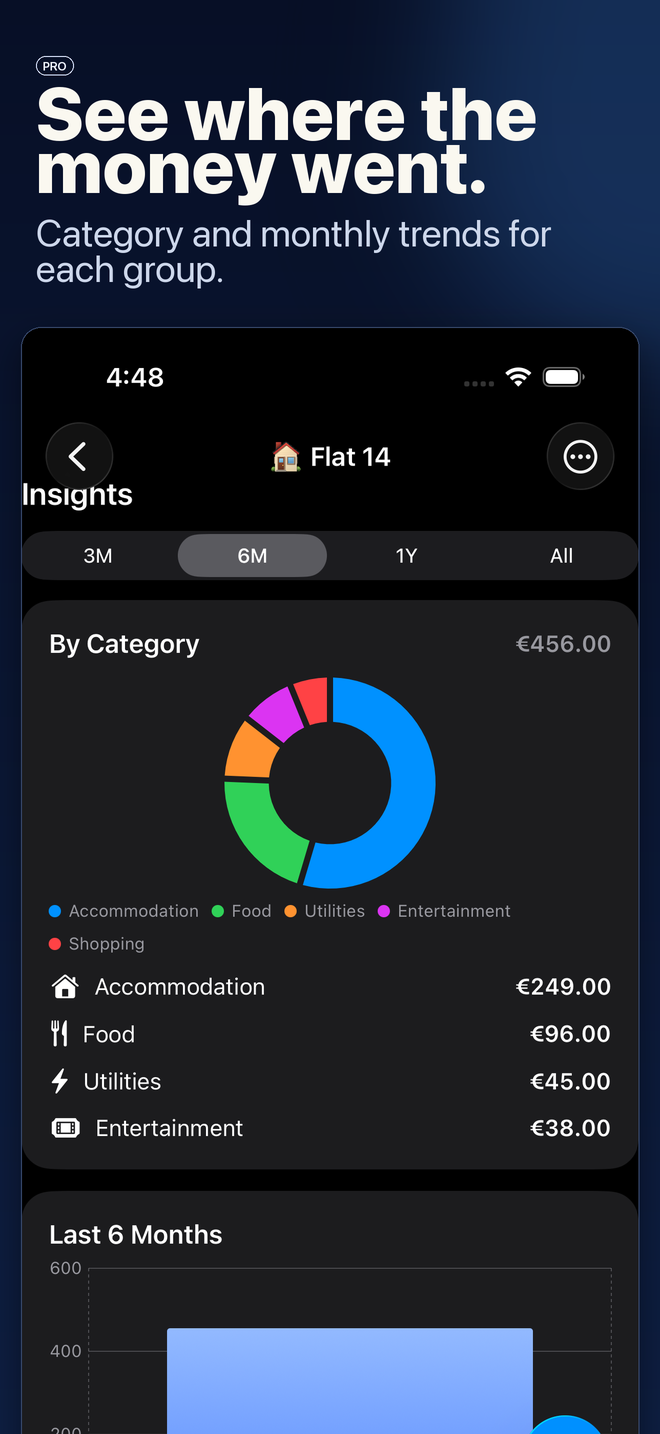
The app is free to download and free to use: your first 50 expenses are free, then 10 new ones each month — balances, settling and group sharing stay free forever. PaySplit Pro removes the cap and adds voice entry, recurring expenses, CSV/PDF export and insights for $2.99/month or $14.99/year. Eligible new subscribers can start at $0.99/month for their first 12 months, or $4.99 for their first year.
No — and we'd rather tell you that than dress it up. What eligible new subscribers get instead is a real, paid discount from day one: $0.99/month for the first 12 months, or $4.99 for the first year, with the standard price disclosed before you subscribe. One introductory offer per customer; Apple decides eligibility.
On your device and, when sharing is on, in your own iCloud — PaySplit has no servers of its own. The only outbound call the app makes is an anonymous exchange-rate lookup (no personal data attached) so multi-currency groups can show a running total in your currency. The full policy is on the privacy page.
Nothing dramatic: every existing expense, balance and group stays fully visible and settleable, and sharing keeps working. Adding new expenses pauses until your next batch of 10 arrives each month — or upgrade to Pro for unlimited creation.
No — PaySplit is iPhone and iPad only, on purpose. Being native SwiftUI is exactly why it feels like an Apple app instead of a 2015 web port, and it's why sharing can run on iCloud instead of a sign-up form. If your group is mixed-platform, the honest answer is that Splitwise's cross-platform support may matter more to you than PaySplit's polish.
Instead of a web of "you pay Alex, Alex pays Sam", PaySplit nets everyone's balances and suggests the fewest payments that settle the group — calculated per currency, so amounts never drift between money systems. You confirm before anything is marked settled.
Cancel anytime in Settings › Apple ID › Subscriptions — you keep Pro until the period ends. Your records live on your device and in your iCloud regardless of subscription status, and Pro adds CSV & PDF export whenever the household wants the books.
One independent developer — no ad network, no data business, no investors to optimise for. Email support@getpaysplit.app and your message reaches the person who wrote the app.
Download PaySplit free, add your first group, and know exactly who owes what in about a minute.
Free to start · No sign-up · iPhone & iPad